Creating a Smart Home Ecosystem: Integrating Lights, Temperature, and Security
Creating a Smart Home Ecosystem: Integrating Lights, Temperature, and Security
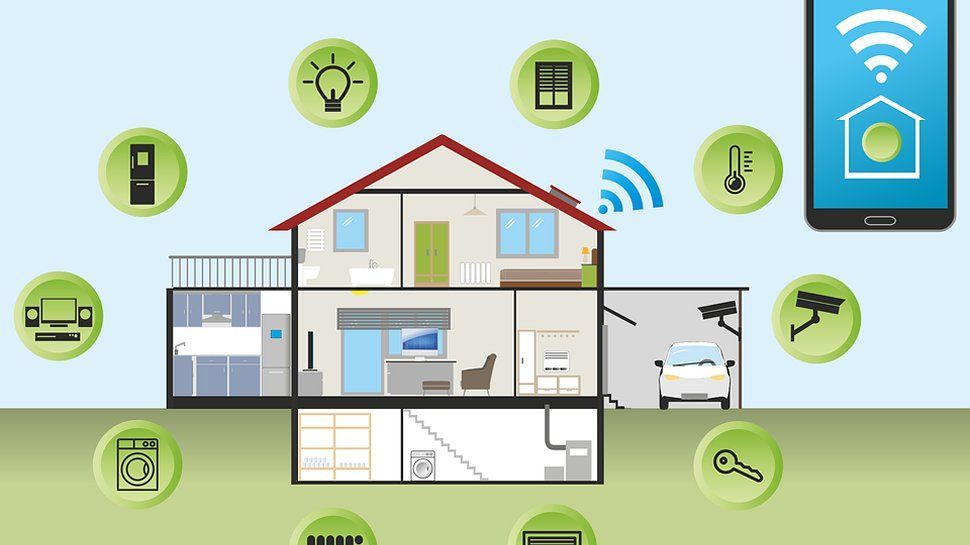
The concept of a smart home has evolved from futuristic dreams into practical reality, thanks to advancements in technology. Today, it’s not just about having isolated devices but about creating an interconnected ecosystem that enhances convenience, efficiency, and security. In this guide, we’ll explore how to integrate lights, temperature, and security systems into a cohesive smart home ecosystem.
1. Understanding the Smart Home Ecosystem
- Automation: Devices working together based on triggers or schedules.
- Centralized Control: Managing everything from a single app or device, often a smartphone or voice assistant.
- Personalization: Tailoring settings to your lifestyle and preferences.
2. Smart Lighting Integration
Steps to Set Up Smart Lighting:
- Choose Your Lighting System: Look for smart bulbs like Philips Hue, Lifx, or TP-Link that work with your chosen platform. You can also explore smart switches and dimmers for more versatile control.
- Connect to Your Hub or App: Follow the manufacturer’s instructions to link your lights with the home hub.
- Automate and Schedule: Set up routines where lights adjust automatically, like dimming at bedtime or turning on when you arrive home.
Benefits:
- Energy Efficiency: Automating lights to turn off when not in use saves energy.
- Enhanced Mood and Ambiance: Change colors and brightness for different activities.
- Security Boost: Program lights to turn on and off when you’re away, giving the appearance that someone is home.
3. Smart Temperature Control
Steps to Set Up Smart Lighting:
- Choose Your Lighting System: Look for smart bulbs like Philips Hue, Lifx, or TP-Link that work with your chosen platform. You can also explore smart switches and dimmers for more versatile control.
- Connect to Your Hub or App: Follow the manufacturer’s instructions to link your lights with the home hub.
- Automate and Schedule: Set up routines where lights adjust automatically, like dimming at bedtime or turning on when you arrive home.
Benefits:
- Energy Efficiency: Automating lights to turn off when not in use saves energy.
- Enhanced Mood and Ambiance: Change colors and brightness for different activities.
- Security Boost: Program lights to turn on and off when you’re away, giving the appearance that someone is home.
3. Smart Temperature Control
Steps to Set Up Smart Temperature Control:
- Install a Smart Thermostat: Installation is often DIY-friendly, but professional help might be needed, depending on the HVAC setup.
- Set Up Temperature Zones: Some thermostats allow for multi-room zoning, giving you control over individual rooms.
- Program and Automate: Schedule temperature changes to align with daily routines, such as lowering the temperature at night or warming up before you wake up.
Benefits:
- Energy Savings: Smart thermostats learn your habits, adapting to maintain comfort without wasting energy.
- Remote Access: Adjust your home’s temperature from your phone, even when you’re away.
- Seasonal Adjustments: Automatically switches between heating and cooling based on the weather.
4. Smart Security Systems
Steps to Set Up Smart Security:
- Select Security Devices: Common devices include smart cameras, doorbell cameras, smart locks, and motion sensors. Products from Ring, Arlo, or August are popular choices.
- Integrate with Your Ecosystem: Connect security devices to your home hub or app for real-time updates.
- Automate Security Protocols: Program lights to turn on if a motion sensor detects activity or receive instant alerts on your phone if someone tries to enter.
Benefits:
- Enhanced Safety: Instant notifications provide peace of mind and faster responses in emergencies.
- Remote Monitoring: View your home’s security feed or lock/unlock doors from anywhere.
- Increased Control: Create user-specific access codes, monitor activity, and secure entries.
5. Ensuring Privacy and Security in a Smart Home
- Use Strong Passwords: Choose unique passwords for each device or platform.
- Enable Two-Factor Authentication: Most smart home apps offer this feature for added security.
- Regularly Update Firmware: Software updates often include security patches, so keep all devices updated.
Final Thoughts
Creating a smart home ecosystem that integrates lights, temperature, and security can transform your home into a haven of comfort, efficiency, and safety. Start small by incorporating one system, and gradually expand as you familiarize yourself with the possibilities. With careful planning and the right devices, your smart home will become an intuitive space tailored to your lifestyle, adapting effortlessly to your needs and preferences.